There is no good way to post images directly on the forum. Instead, the best way to post an image or to share a file is to put the image or file on a 3rd party website and then provide a link to it.
There are many 3rd party websites that you can use for free. Here's a link to an article listing several.
http://www.cnet.com/how-to/one...ce-is-right-for-you/
Once you create an account you can upload your images or files, and then there will be some easy way to have it show you the link to one of your selected files(usually a symbol that looks like a link of a chain). Copy that link and paste it in your post here to display the image.
Here's an example of one of my photos on Google Drive.
https://drive.google.com/open?...NHU0lpNzQ&authuser=0
Yes that was just an excuse to show a picture of our dogs.
All of these photo/file sharing sites make this pretty easy. I invite you to try it and post one of your photos in this thread. Maybe a picture of your dog?
If you can't figure it out, post your questions here and we'll walk you through it.
Posting photos or files on this forum
Mark thanks I will look into it this weekend.
When I post the link to a picture I have on my website, the picture appears in-line in my post, as opposed to appearing as a link that you must click on (like the example above).
What websites do people use so that when you post a picture it appears in-line?
What websites do people use so that when you post a picture it appears in-line?
Mark how did you post the paint carrier you had on another post? As the picture is already there.
I put that photo on my website.
But I just checked out a couple photo sharing websites that allow you to link directly to your photos. Try photobucket.com. After you upload a photo and open it you can click on the Link icon, and then copy and paste to your post. The image will appear in-line.
I'm sure there are many others, but that's one I found.
Looks like another excuse for me to post a photo.

But I just checked out a couple photo sharing websites that allow you to link directly to your photos. Try photobucket.com. After you upload a photo and open it you can click on the Link icon, and then copy and paste to your post. The image will appear in-line.
I'm sure there are many others, but that's one I found.
Looks like another excuse for me to post a photo.

5k course [URL=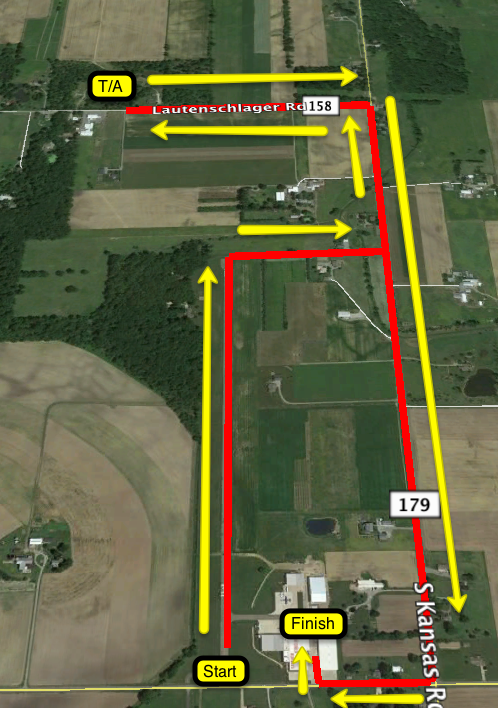 ] [/URL]
 ] [/URL]
Mark thanks it worked.